home / skills / rodydavis / skills / sqlite_ui-thread
This skill shows how to run synchronous SQLite queries on the UI thread in Flutter to boost UI responsiveness and handle large datasets efficiently.
npx playbooks add skill rodydavis/skills --skill sqlite_ui-threadReview the files below or copy the command above to add this skill to your agents.
---
name: sqlite-on-the-ui-thread
description: Unlock the surprising speed of SQLite in Flutter for building responsive UIs, showcasing its ability to handle large datasets with synchronous queries and optimized configurations.
metadata:
url: https://rodydavis.com/posts/sqlite/ui-thread
last_modified: Tue, 03 Feb 2026 20:04:37 GMT
---
# SQLite on the UI Thread
[SQLite](https://www.sqlite.org/) is a lot faster than you may realize. In [Flutter](https://flutter.dev/) for example there is [drift](https://pub.dev/packages/drift), [sqlite\_async](https://pub.dev/packages/sqlite_async) and [sqflite](https://pub.dev/packages/sqflite) which allow for async access of data. But with [sqlite3](https://pub.dev/packages/sqlite3) you can query with sync functions! 🤯
Here is a list view where there are 10000 items and each item is retrieved with a select statement 👀
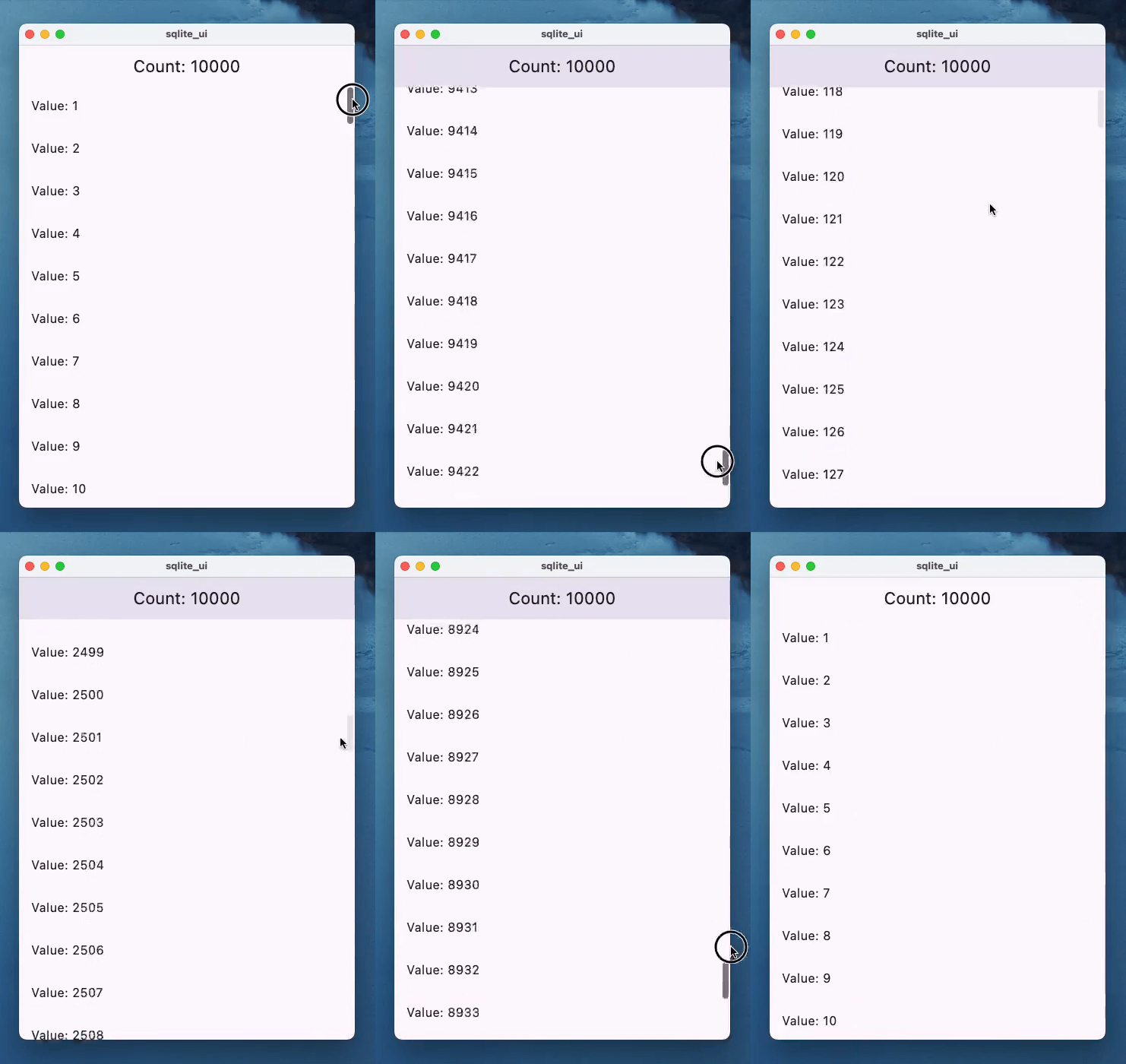
Source: [https://gist.github.com/rodydavis/4a6dca4a2e1afc530ac93e94a76a594a](https://gist.github.com/rodydavis/4a6dca4a2e1afc530ac93e94a76a594a)
SQLite, when used effectively, can be a powerful asset for UI-driven applications. Operating within the same process and thread as the UI, it offers a seamless integration that can significantly improve component building.
Async/await does not mean you will be building the most performant applications, and in some cases will [incur a performance penalty](https://madelinemiller.dev/blog/javascript-promise-overhead/).
Even with extensive datasets, SQLite demonstrates remarkable efficiency. Its ability to handle millions of rows without compromising speed is a testament to its robust architecture. Contrary to the misconception of being solely a background-thread database, SQLite functions as a process-level library, akin to any other C-based library.
By strategically employing indexes and queries, developers can achieve nanosecond response times and mitigate N+1 query issues. The judicious use of views, indexes, and virtual tables is paramount in optimizing performance.
Complex join operations and the ability to retrieve only essential data for display further underscore SQLite's versatility. For example, when presenting a list view or cards, SQLite can efficiently fetch the required 30 items without undue overhead.
SQLite's flexibility extends beyond single-database scenarios. The [ATTACH](https://www.sqlite.org/lang_attach.html) feature enables the management of multiple databases within a single application. Additionally, the concept of isolates or workers allows for parallel processing, further enhancing performance and responsiveness.
From simple [key-value](https://rodydavis.com/sqlite/key-value) stores to intricate data modeling, SQLite's capabilities are vast. By applying appropriate [PRAGMAs](https://www.sqlite.org/pragma.html), such as WAL mode, developers can tailor SQLite's behavior to meet specific application requirements.
[Example PRAGMA](https://www.reddit.com/r/rails/comments/16cbiz9/the_6_pragmas_you_need_to_know_to_tune_your/):
```
PRAGMA journal_mode = WAL;
PRAGMA synchronous = NORMAL;
PRAGMA journal_size_limit = 67108864;
PRAGMA mmap_size = 134217728;
PRAGMA cache_size = 2000;
PRAGMA busy_timeout = 5000;
```This skill demonstrates how to harness SQLite synchronously on the UI thread in Flutter to build highly responsive interfaces. It showcases using the sqlite3 native bindings to run fast, synchronous queries and optimized PRAGMA settings so large datasets can be queried with minimal latency. The focus is practical: show patterns that avoid typical async overhead and keep UI components snappy.
The skill uses sqlite3 to execute synchronous SELECTs and other SQL directly inside the Flutter app process and thread. It applies targeted PRAGMA tweaks (WAL, cache size, mmap, etc.), index strategies, and selective queries so only the rows needed for display are fetched. Examples include single-row lookups for list items, efficient joins, and using ATTACH to manage multiple databases in the same process.
Is it safe to run SQLite on the UI thread?
Yes, when queries are optimized and short. SQLite runs in-process; well-tuned SELECTs can be extremely fast. Heavy writes or long-running operations should still be moved off the UI thread.
Will synchronous calls block the UI?
They can if queries are slow. Use indexes, limit returned columns, and PRAGMAs to ensure reads complete quickly. For expensive operations, use an isolate or worker.
What PRAGMAs are recommended?
Common starters: PRAGMA journal_mode=WAL; PRAGMA synchronous=NORMAL; PRAGMA mmap_size and PRAGMA cache_size tuned to device memory. Adjust and benchmark per app.